
Last spring I booked a 6 a.m. airport ride, plugged my iPhone in at 11 p.m., and woke at 4:45 to a battery at 81%.
The Lock Screen promised a full charge at 6:30, exactly when my usual alarm goes off. My phone had no idea I was leaving early. It had learned what my ordinary mornings look like.
That moment explains the whole feature. Optimized Battery Charging holds your iPhone near 80% overnight and finishes the last stretch shortly before the time it expects you to unplug.
The guess comes from your charging history, a few location settings, and a strict rule about which places count as home.
In this answer
- What Your iPhone Is Actually Predicting
- The Settings That Must Stay On
- Why Some iPhones Never Learn a Pattern
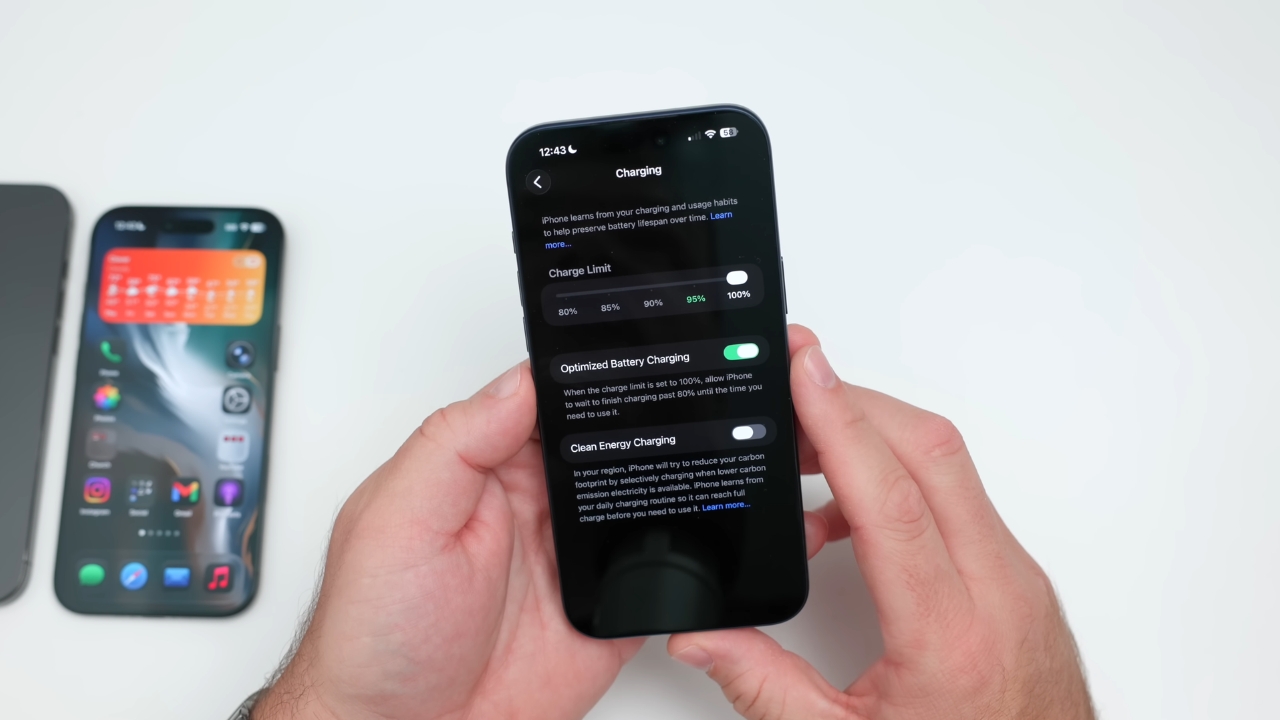
- A Charge Limit Turns Optimized Charging Off
- When Heat or the Power Grid Holds the Charge
- Why Apple Holds Back the Last 20%
- How to Get 100% Before an Early Start
- Frequently Asked Questions
- What I Do Before an Early Morning Now
What Your iPhone Is Actually Predicting
Apple never says the feature reads the alarm you set in the Clock app. It describes on-device machine learning that studies your daily charging routine and delays charging past 80% only when it expects the phone to stay connected for a long time.
The stated goal on the Apple page about Charge Limit and Optimized Battery Charging is to reduce the hours your iPhone spends fully charged.
So the 100% moment is a forecast of your unplug time, built from past nights. If you usually grab the phone around 6:30 a.m., the top-up lands just before then. My airport morning broke the pattern, and the phone followed its history instead of my plans.
Apple says the feature needs at least 14 days after setup and at least 9 charges lasting 5 hours or more in one location before it starts delaying anything.
The Settings That Must Stay On
Soon after I switched iPhones, a friend asked why her phone never showed the Lock Screen note about when charging would finish. Mine had not either.
The feature leans on location data to recognize where you charge for long stretches, and Apple lists the requirements on its page for when Optimized Battery Charging does not activate.
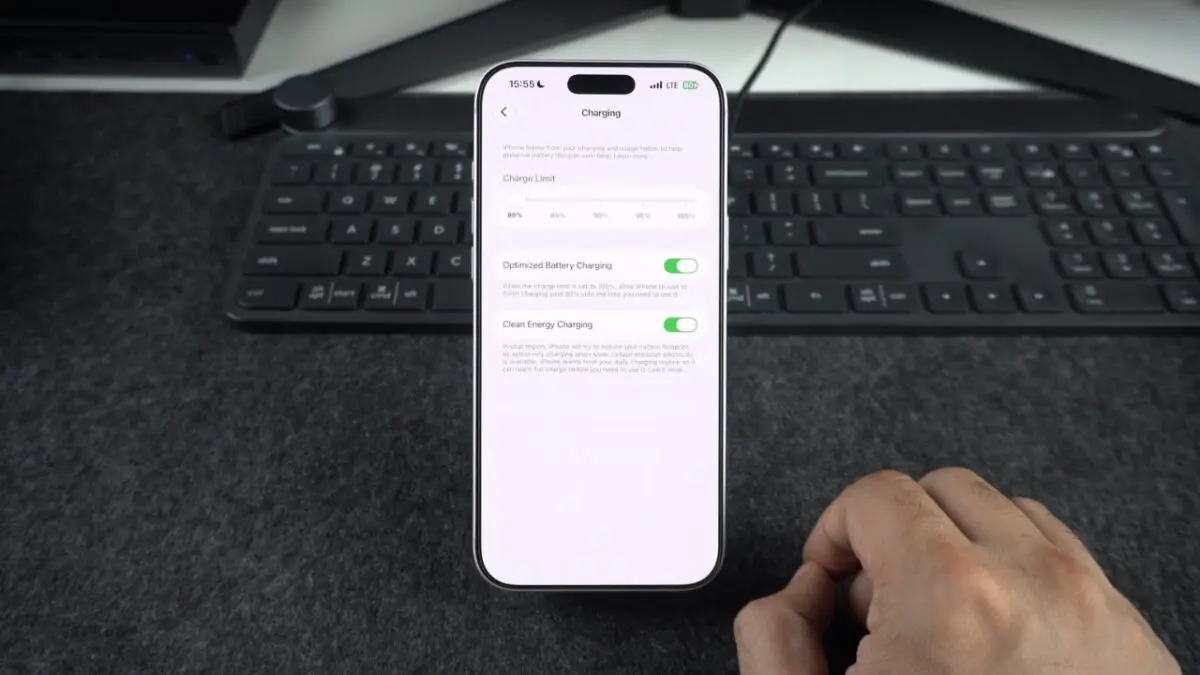
On iPhone 15 and later, the options sit under Settings > Battery > Charging.
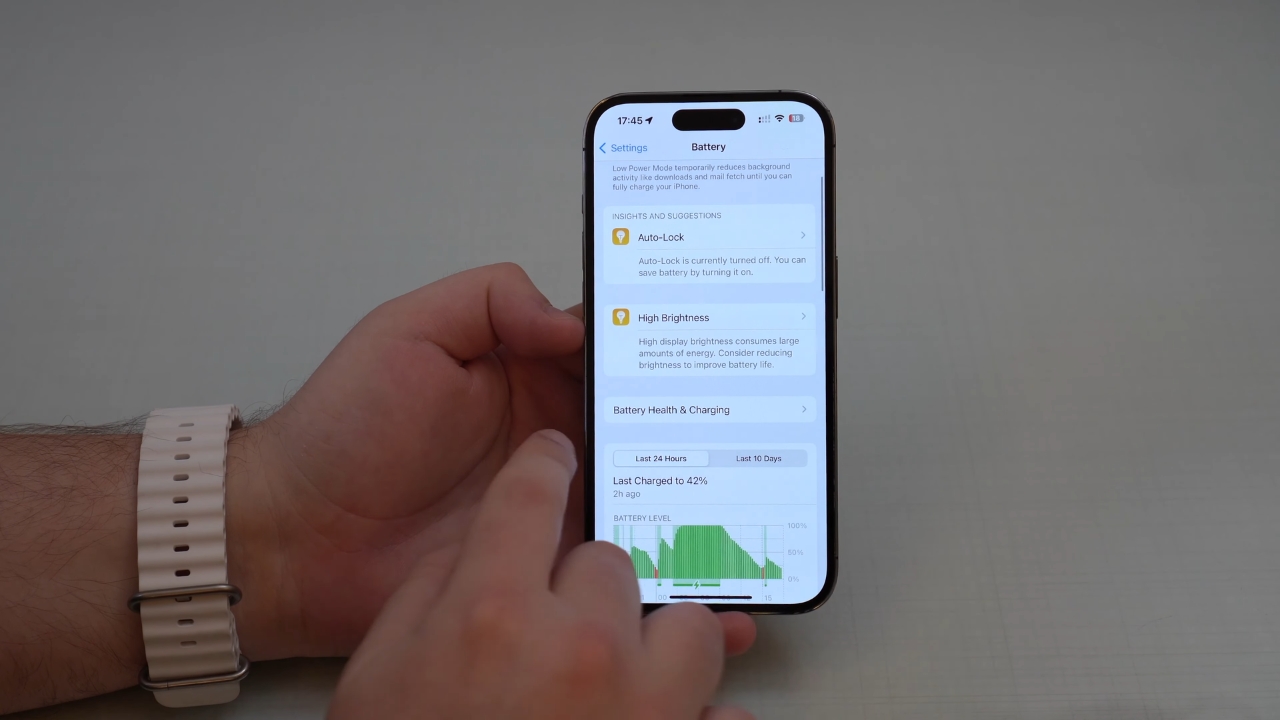
Older models use Settings > Battery > Battery Health & Charging.
- Location Services on in Settings > Privacy & Security.
- System Customization on under Location Services > System Services.
- Significant Locations on in the same System Services list.
- Charge Limit set to 100% on models that offer a limit.
If location settings make you uneasy, I explained what phones really collect when I asked whether your phone is really listening for ads.
Why Some iPhones Never Learn a Pattern
My friend Jess is an ER nurse who rotates between day and night shifts. She texted me last winter, convinced her phone was broken because it charged straight to 100% every time.
Nothing was wrong. Her phone simply had no stable routine to learn.
Apple names three situations where the feature stays off, and her schedule hit two of them at once.
- Charging habits that shift from one night to the next.
- Travel, including nights in hotels or at a family house.
- Short sessions, like 20 minutes on a desk charger before a meeting.
Apple also says the feature engages only where you spend the most time, such as home and work. Once Jess settled into four weeks of steady day shifts, the notification started showing up.
Nobody touched a setting. Her phone finally had enough long nights at home to trust.
A Charge Limit Turns Optimized Charging Off
My dad read that 80% is the magic number, set his iPhone 15 to an 80% Charge Limit, then called me annoyed that it never reached 100% before a fishing trip. He had swapped one tool for another. On iPhone 15 and later, the two features never run together.
| Setting | Available on | What it does | When you see 100% |
| Optimized Battery Charging | iOS 13 or later, on by default | Pauses near 80%, finishes before your predicted unplug time | Most mornings, before you unplug |
| Charge Limit of 80% to 95% | iPhone 15 and later | Stops within a few points of the limit | Occasionally, to keep estimates accurate |
| Charge Limit at 100% | iPhone 15 and later | Keeps Optimized Battery Charging available | Same as above |
If the level drops more than 5% while plugged in, charging resumes. My dad went back to 100% and uses the override before early trips.
When Heat or the Power Grid Holds the Charge
Not every pause comes from your routine. Last July I left my phone charging on a sunny windowsill, and the Lock Screen showed Charging On Hold instead of a finish time.
Apple explains that message on its Charging On Hold support page. The phone got too hot, and charging restarts once the temperature returns to normal.
View this post on Instagram
Apple puts the comfortable operating range between 32°F and 95°F in its guidance on iPhone temperature, and it notes that charging slows or stops when the phone runs hot. Two other details can also explain a stall near 80%.
- Clean Energy Charging, available since iOS 16.1 and on by default in the United States, can delay charging until lower-carbon electricity reaches your area.
- Heavy use while plugged in, such as navigation or gaming, can pull power almost as fast as a weak charger supplies it.
Why Apple Holds Back the Last 20%
Every charge cycle adds wear, and a lithium-ion battery also ages chemically while it sits at a high charge, especially when warm.
Apple rates iPhone 15 and later batteries to keep 80% of original capacity after 1,000 complete cycles under ideal conditions, versus 500 for iPhone 14 and earlier, on its iPhone battery and performance page.
Apple says the iPhone 15 lineup batteries have a longer lifespan than expected!
All models were designed to retain 80% of their original capacity at 1000 charge cycles. Older iPhones can retain 80% of its capacity at 500 cycles https://t.co/tk9YDEy2ad
— Apple Hub (@theapplehub) February 20, 2024
Overnight is when a phone could sit at 100% for hours. Trimming that window is the point of the delay, as I explained in my piece on whether charging your phone overnight is bad.
Did you know? A 2025 RSC Advances study modeling 36 months of storage found that raising the charge from 10% to 90% at 131°F (55°C) sped up monthly growth of a degradation layer by roughly 48%. The cells were lithium iron phosphate, unlike typical phone batteries, so treat the figure as a direction, not an iPhone forecast.
How to Get 100% Before an Early Start
After my airport scramble, I changed what I do on unusual nights instead of switching the feature off. A single override takes a few seconds.
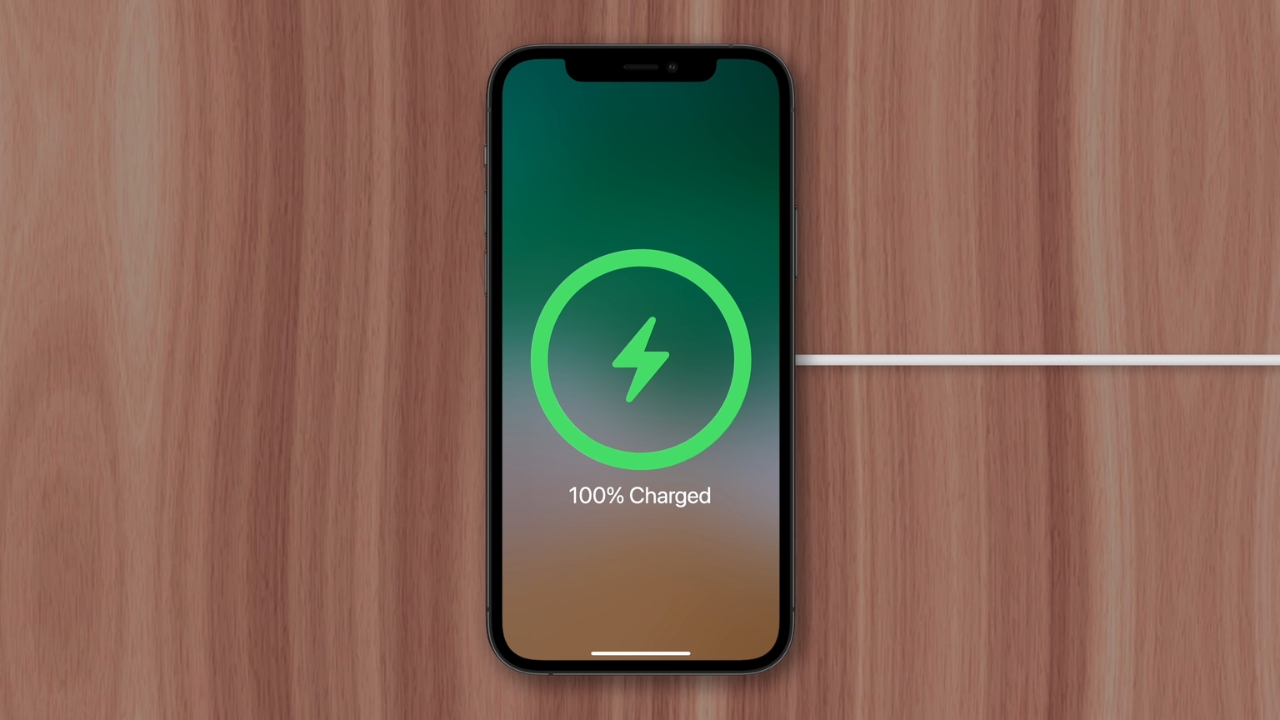
- When the Lock Screen shows the finish time, touch and hold the notification and tap Charge Now.
- Open Settings > Battery to see how long the rest will take. Since iOS 26, Apple shows an estimate of the time to 80% or to full there and on the Lock Screen.
- Use a wall charger rather than a laptop port, and keep the phone somewhere cool.
I also stopped worrying about the occasional night at 100%. One full charge before a long travel day does not undo months of shorter stays near 80%, and a dead phone at the gate costs me far more than a sliver of battery capacity.
Frequently Asked Questions
1. Why Is My iPhone 18 Pro Max Stuck at 80% After a Repair?
The iPhone 18 Pro Max battery exceeds 20 watt-hours, so iOS 27 adds a Prepare to Ship feature that lowers capacity for transport. After a repair, trade-in, or return shipment, the charge limit stays at 80% for 14 days.
2. Does Low Power Mode Change Overnight Charging?
Not directly. Apple says Low Power Mode turns off by itself once the battery reaches 80%, so a phone switched to it at bedtime wakes up in normal mode.
3. Do My AirPods and Apple Watch Learn My Routine Too?
Yes. AirPods Pro and AirPods 3 or later have Optimized Battery Charging, and AirPods Pro 3 add an adaptive Optimized Charge Limit.
Apple Watch Series 6 and later and Ultra models get a similar limit, plus a Charge to Full Now button.
4. Is a Fixed 80% Limit Better Than Optimized Charging?
A fixed limit keeps the battery out of the top range all day, which helps if 80% gets you to bedtime. Heavy users would start each day with a fifth less charge, so Optimized Battery Charging suits them better.
5. Where Can I See Whether My Battery Is Aging?
Settings > Battery > Battery Health shows maximum capacity relative to new. On iPhone 15 and later, Settings > General > About also lists the cycle count.
What I Do Before an Early Morning Now
@jeruzmCharging Habit – Optimized or Limit?
The night before that airport ride taught me to read the Lock Screen before I turn off the light. If the finish time lands after I need to leave, I hold the notification and tap Charge Now.
Every other night, I let it guess, because it guesses well. Jess now does the same when her schedule flips, and my dad keeps his limit at 100% so the feature stays available.
Apple does not say the feature reads your calendar. What it clearly reads is last week on the charger, and a two-second check covers the gap.