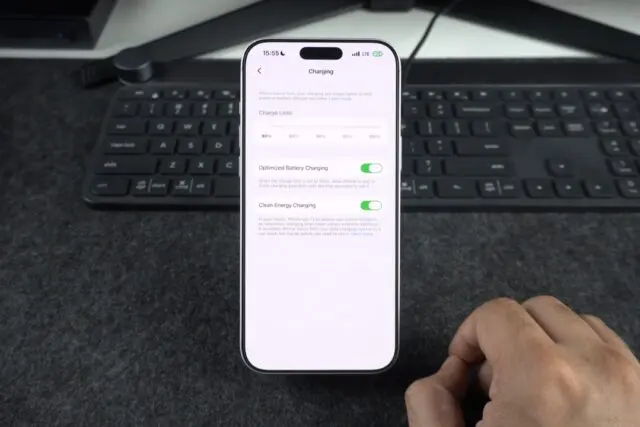


Few phone moments feel as wasteful as sitting through the same hold song for half an hour, afraid to put the phone down because someone might answer the second you do. Recent iPhones and Google Pixel phones can now wait on hold for you instead.
The phone keeps the call open, listens for a human voice, and alerts you when a live person comes on the line. Meanwhile, you can fold laundry, answer email, or start dinner.
Below, we explain how each version works, what the business hears on its end, and the one setting that decides whether you catch the alert.
In this answer
- What It Means When a Phone Can Wait on Hold for You
- How to Use Hold Assist on an iPhone
- How to Use Hold for Me on a Google Pixel
- iPhone and Pixel Side by Side
- What the Business Hears and Where Your Audio Goes
- Where Phones That Wait on Hold Still Fall Short
- Frequently Asked Questions
- Before Your Next Long Hold
What It Means When a Phone Can Wait on Hold for You
Once a business puts you on hold, the phone keeps the call connected and listens to the line. Music and recorded messages get ignored. When the phone hears what sounds like an actual person, it rings and shows a notification so you can rejoin.
Apple calls its version Hold Assist and announced it with iOS 26 in June 2025 as a way to know when a live agent is available. Google got there years earlier with Hold for Me, which arrived on Pixel phones in 2020 and at first worked only on toll-free numbers.
View this post on Instagram
Live agent detection is the hard part. To wait on hold properly, the phone must tell a recording that thanks you for your patience, apart from a real employee saying hello.
Google has said simple sound patterns could not do that reliably, so it built Hold for Me on Duplex, its conversational speech technology.
How to Use Hold Assist on an iPhone
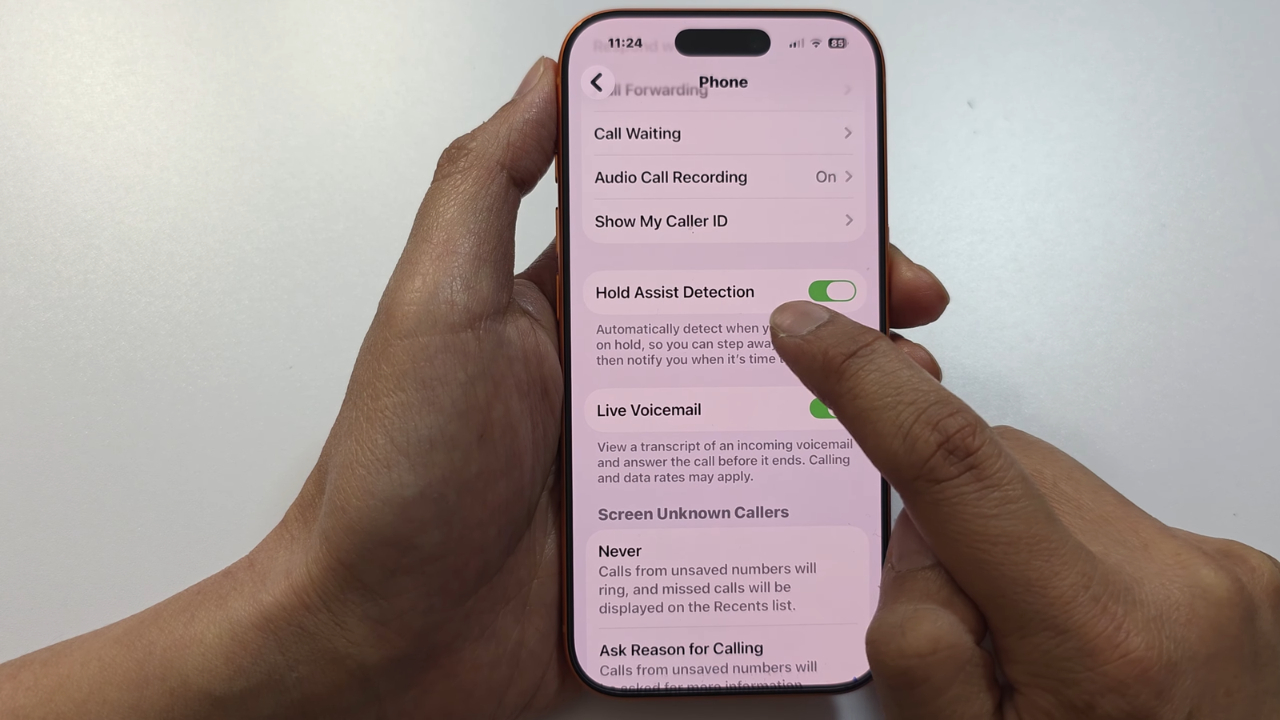
Hold Assist runs on the iPhone 12, the third-generation iPhone SE, and newer models with iOS 26 or later. According to a MacRumors walkthrough, it is not an Apple Intelligence feature, so any of those phones can wait on hold for you.
- Call the business and get through the phone menu until the hold music starts.
- Watch for a “Hold this Call?” prompt, which MacRumors says appears after 10 to 15 seconds of music, and tap Hold.
- If no prompt appears, tap the More button on the call screen and choose Hold Assist.
- Turn the ringer on, set the phone down, and get on with your day.
When an agent picks up, the iPhone alerts you and shows a transcript of anything said while you were away. The Apple support page for Hold Assist also notes the feature is not offered in every country or region.
How to Use Hold for Me on a Google Pixel
A Pixel will not wait on hold for you until you switch the feature on once. Google lists support for the Pixel 3 and newer in the United States, Canada, the UK, Australia, and Japan, in English everywhere except Japan, where it runs in Japanese.
- Open the Phone app, tap More, then Settings, then Hold for Me, and turn it on.
- Before you dial, turn off silent and vibrate-only mode.
- When the business puts you on hold, tap Hold for me, then Start.
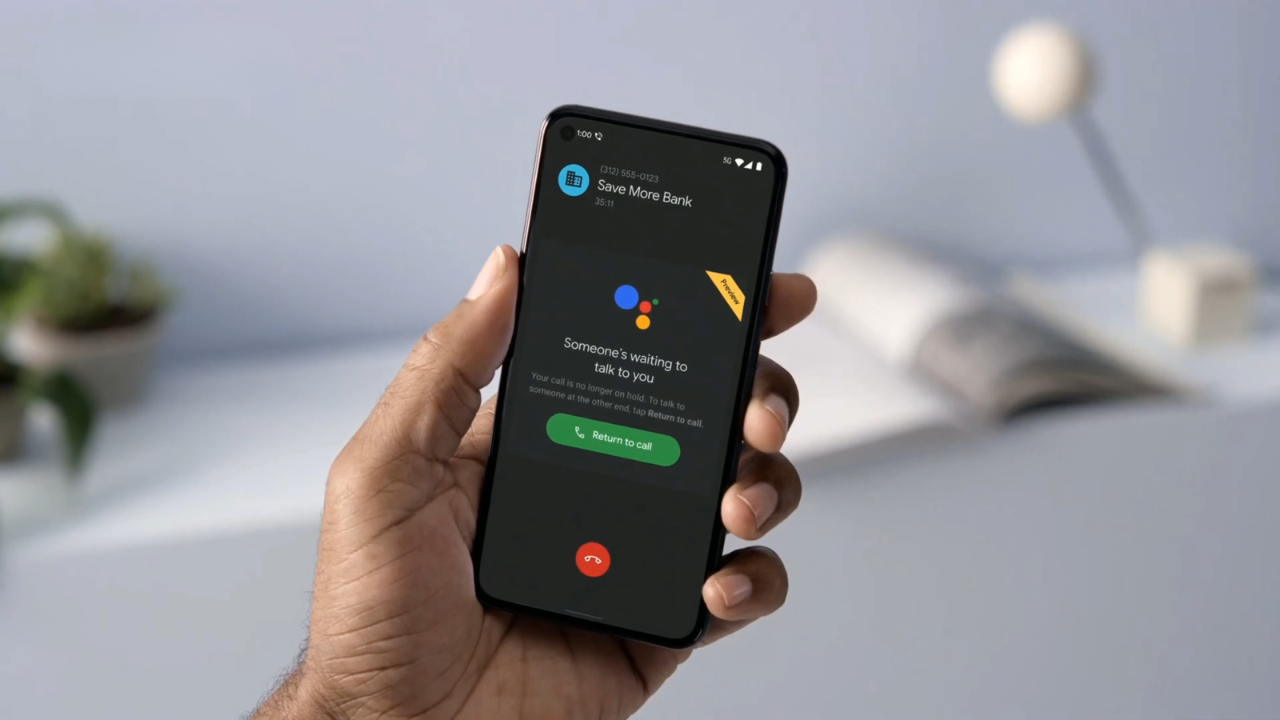
A “Don’t hang up” card stays on the screen during the wait. When a representative returns, a prompt says someone is waiting to talk to you, and tapping Return to call reconnects you.
The full steps sit on the Google Phone app help page for Hold for Me. We suggest turning the setting on today, before a stressful call.
iPhone and Pixel Side by Side
Both features wait on hold in the same basic way, but they start differently and treat your audio differently.
| Detail | iPhone Hold Assist | Pixel Hold for Me |
| Phones | iPhone 12, iPhone SE (3rd gen), and newer | Pixel 3 and newer |
| Setup | On by default | Turn on once in Phone settings |
| How it starts | Offers itself when it hears hold music | You tap Hold for me on each call |
| Alert | Ring plus a transcript of what you missed | Ring plus a “someone is waiting” prompt |
| What the agent hears | Nothing extra | A short recording disclosure |
Setup is the biggest practical difference. An iPhone offers to wait on hold for you with no preparation, while a Pixel owner who never touched the setting gets no help.
In our view, the iPhone transcript is the better extra, because one glance tells you whether a real person spoke before you walk back.
What the Business Hears and Where Your Audio Goes
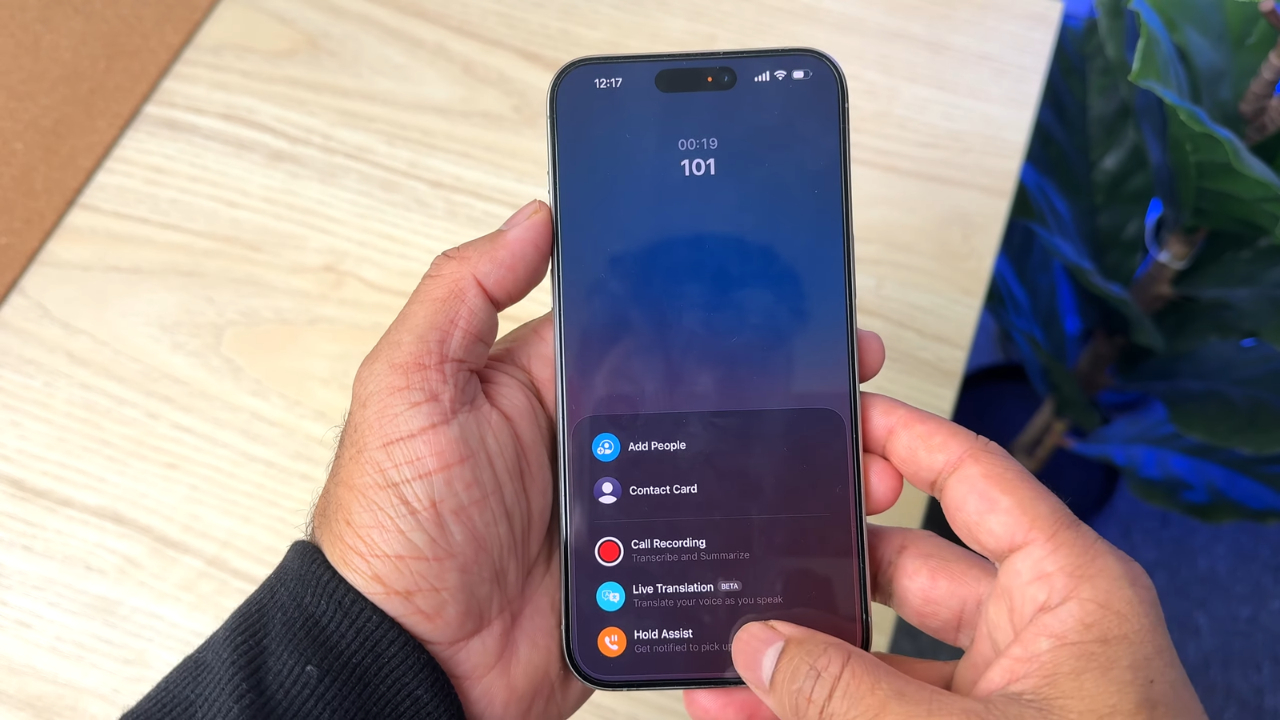
Apple says the call is not recorded. Hold Assist transcribes the audio on the iPhone itself, discards the transcript once you rejoin, and Apple does not store it.
Google takes a different route. According to the Google privacy page for Hold for Me, audio and transcripts stay on the phone and are deleted after 48 hours unless you choose to share them. Shared clips are kept for 180 days without personal identifiers and may be reviewed by people at Google.
Did you know? When you let a Pixel wait on hold for you, the representative hears a brief disclosure that the call is being recorded. If a listening phone makes you uneasy in general, our explainer on whether your phone is listening for ads covers what phones actually do with the microphone.
Where Phones That Wait on Hold Still Fall Short
Letting the phone wait on hold for you saves time, but neither version is flawless.
- Neither feature dials for you or presses menu buttons, so the phone tree is still your job.
- Recorded voices can confuse detection. MacRumors notes Hold Assist may struggle with spoken queue updates, and Google admits Hold for Me can miss some holds or a returning representative.
- Silent mode can make you miss the alert, since both features depend on the phone ringing.
- A Pixel cannot play music or other audio while Hold for Me is active.
- A long hold keeps the cellular radio busy, so plug in if the battery is low. Our guide to charging a phone overnight explains why frequent charging is less of a concern than it used to be.
Stay within earshot, keep the screen facing up, and treat the alert as a heads-up rather than a guarantee.
Frequently Asked Questions
1. Does Hold for Me work on Samsung or other Android phones?
Google lists only Pixel phones for Hold for Me. Owners of other Android brands can check the settings of their own Phone app, but we have not confirmed a matching feature from other manufacturers.
2. Does it use mobile data to wait on hold?
When Google introduced Hold for Me in 2020, it said call audio is processed entirely on the phone, so no Wi-Fi or data connection is needed beyond the call.
Apple also transcribes on the device. The call still counts toward your plan minutes.
3. Can I stop my iPhone from offering to wait on hold automatically?
Yes. Open Settings, tap Apps, then Phone, and turn off Hold Assist Detection. You can still start the feature from the More button during any call.
4. Does Hold Assist work on a Mac, an Apple Watch, or a FaceTime audio call?
Apple says Hold Assist is also available on macOS and watchOS. The FaceTime audio call tools guide lists the same live agent notification for FaceTime audio calls on iPhone.
Before Your Next Long Hold
@thatchriscarley Are you using Apple’s “Hold Assist” or Google’s “Hold For Me”? #google #iphone #fyp #hack ♬ original sound – Chris Carley
The next time a pharmacy, airline, or cable company puts you on hold, the phone can take over the boring part. On an iPhone, check that the phone is not in silent mode and tap Hold when the prompt appears.
On a Pixel, open the Phone app settings now and switch on Hold for Me so the phone can wait on hold the moment you need it.
Either way, a phone that can wait on hold for you only helps if you hear it ring. Keep it nearby, keep it charged, and you get back the minutes you used to spend staring at a call timer.