

If you turned off personalized ads on your Samsung TV and the home screen still shows a movie banner, nothing is broken. The setting stops Samsung from targeting ads at you based on your viewing habits. It does not stop Samsung from showing ads, and it was never designed to.
That gap confuses a lot of owners, because the menus make the switch sound bigger than it is.
Below, we walk through what each privacy setting controls, which ads stay no matter what you toggle, why Samsung is adding home screen ad sales in 2026, and the steps that actually reduce what you see.
In this answer
What the Interest-Based Ads Switch Actually Controls
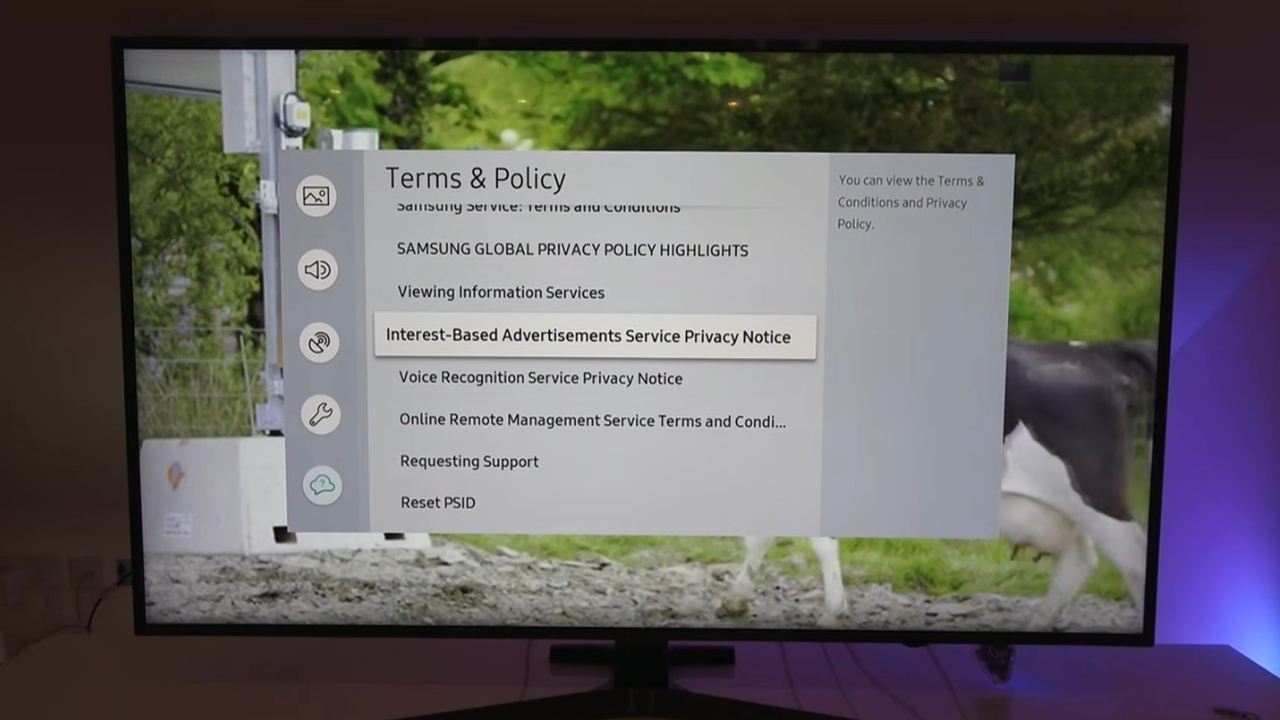
On recent Samsung sets, the setting lives under:
Settings > All Settings > General & Privacy > Terms & Privacy. Older models put it under Settings > Support > Terms & Privacy > Privacy Choices.
Turning off Interest-Based Advertisements means ads become less tailored, but they still appear, as Consumer Reports notes in its smart TV privacy guide.
The switch works on targeting data, not on ad space. Samsung keeps selling the same slots on your screen. The only difference is that the ad in them is picked without your viewing profile.
Samsung TVs carry an advertising identifier called the PSID, short for Personalized Service ID. Ad systems use it to recognize the same TV over time.
Resetting it gives the TV a new ID, but it does not opt you out of ads on its own.
The Ads That Stay After You Opt Out
Most Samsung TV ads fall into a few groups, and the privacy switch touches only one part of each. We sorted them by where they appear.
| Ad you see | Where it comes from | Removed by the ad switch? |
| Banner or promo on the home screen | Samsung Ads | No, only less targeted |
| Commercial breaks on Samsung TV Plus channels | Samsung free streaming service | No |
| Ads inside Netflix, YouTube, or Peacock | The app and your plan with it | No |
| Looping promos and demo banners | Store demo mode | No, a different setting fixes it |
The table explains why so many owners feel the switch did nothing. Ads inside apps follow your plan with that service, so a streaming tier with ads keeps them on any TV. The last row is the one exception you can fully fix, which we cover in the steps below.
Why Home Screen Ads Are Not Going Away
View this post on Instagram
Home screen ads are a growing business for Samsung, not a feature on its way out.
On June 10, 2026, Samsung Ads announced that advertisers will be able to buy its home screen placements programmatically, through The Trade Desk and Google Display & Video 360, with a global rollout starting in the third quarter of 2026.
The Samsung announcement on home screen ad buying quotes a Samsung executive describing the units as “premium, non-skippable placements.”
Programmatic buying means automated ad auctions, which usually makes it easier for more advertisers to fill the same space.
Did you know? Samsung pitches these placements as reaching viewers from the moment the TV turns on. That pitch shows how much the space is worth to Samsung, and it explains why no menu option removes it entirely.
Viewing Information Is a Separate Switch
Interest-Based Advertisements is not the setting that controls what your TV watches. That job belongs to Viewing Information Services, the Samsung name for automatic content recognition, or ACR. ACR identifies what is on screen and turns it into viewing data. Recent legal action has focused on that switch.
- In December 2025, Texas sued Samsung, Sony, LG, Hisense, and TCL, alleging that their TVs collected viewing data through ACR without proper consent.
- In February 2026, Samsung agreed to stop collecting ACR data from Texas consumers without express consent and to add clear consent screens, according to the Texas attorney general announcement of the Samsung agreement.
- LG reached a similar agreement in May 2026, while the cases against Sony, Hisense, and TCL remained open at that point.
Samsung disputes that it broke any rule. The agreement also changes consent for viewing data in Texas, not the ads on your screen.
Does the Off Switch Really Stop Tracking?
The best published evidence says yes, at least for ACR. A 2024 study of ACR tracking on Samsung and LG TVs, presented at the ACM Internet Measurement Conference, watched the network traffic of TVs in the U.S. and the U.K.
When the researchers opted out, traffic to ACR servers stopped. The same study found ACR still ran when the TV served as a plain screen for a cable box over HDMI.
Newer claims are less settled. In October 2026, a security researcher posting as log4j said the Samsung TV software reports more to Samsung than owners expect.
Samsung responded that ACR is not on by default and that no viewing information is collected or sent once it is turned off, according to TechRadar coverage of the claims and Samsung reply. We treat those claims as unverified until the promised details appear.
How to Cut Down What You Still See
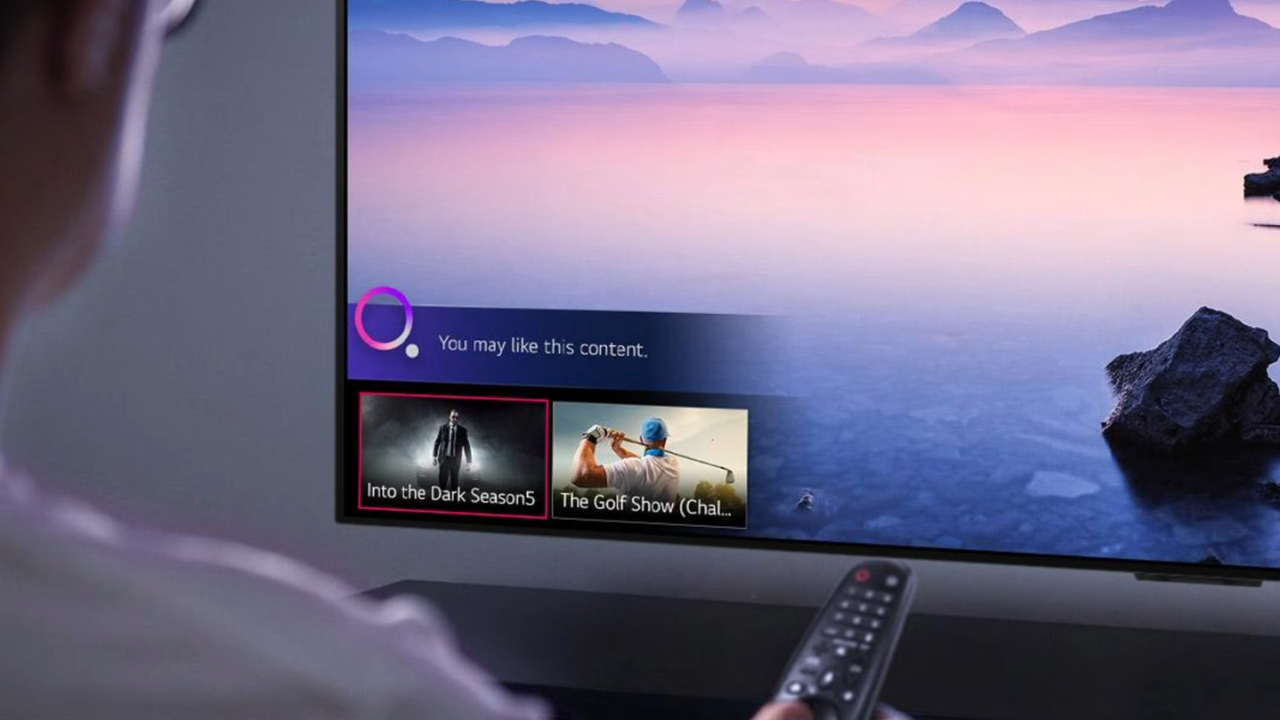
Start with the boring stuff, and check the home screen after each step.
- In Terms & Privacy, turn off Interest-Based Advertisements and Viewing Information Services. Ads stay but stop using your viewing data.
- Select Reset PSID on the same screen. The TV gets a fresh advertising ID, which breaks the link to past ad profiles.
- If promos loop and picture settings keep reverting, open Settings > General > System Manager > Usage Mode and switch from Store to Home.
- Remove the Samsung TV Plus tile if you never use it. Owners in the Samsung community thread on home screen ads say it helps, though some promos remain.
- If you watch everything through a streaming box, disconnect the TV itself from Wi-Fi. Without a connection, the TV cannot load Samsung home screen ads.
One caution if you go further. Blocking ad servers on your router can also break apps and updates.
Frequently Asked Questions
1. Does the Samsung Setting Change Ads on My Phone or Laptop?
No. The TV settings cover the TV and its advertising ID. Phones and browsers have their own ad controls, and ads there come from the data each device and account produces. Our guide on whether your phone is listening for ads explains where that data comes from.
2. Will a Factory Reset Turn Ad Tracking Back On?
It can. A reset sends the TV back through setup, which includes the privacy agreements again. Read each screen during setup instead of selecting the option to agree to everything, or your earlier choices may be lost.
3. Is It Safe to Keep the TV Offline for Good?
Mostly, but an offline TV stops receiving firmware and security updates. We suggest connecting it for a short time every few months to install updates, then disconnecting again.
4. Does Resetting the PSID Delete Data Samsung Already Has?
No. A reset replaces the identifier going forward, as the NAI guide to TV ad settings describes it. Deleting data already collected requires a separate privacy request to Samsung.
5. Do the Settings Affect Picture Quality or Apps?
Turning off the ad and viewing data options does not change picture modes or stop apps from working. Turning off voice services is different, because voice control stops working with it.
Our Take
(Samsung):
How to turn off ACR on a Samsung TV.
Samsung calls it Viewing Information Services.
1. Go to Settings → Support → Terms & Privacy → Privacy Choices
(on some models: Settings → All Settings → General & Privacy → Terms & Privacy)
2. Turn off Viewing Information Services
3. While you’re there, turn off Interest-Based Advertising
4. Turn off Voice Recognition Services if you don’t use voice control“Menu names shift a little between model years. If you don’t see it, search ‘Privacy Choices’ in settings.”
— Eric Smith (@Eric_Smith08) October 24, 2026
We recommend turning off both Interest-Based Advertisements and Viewing Information Services on every Samsung TV, then resetting the PSID once.
Those three changes limit what Samsung learns about your viewing. Expect the home screen banners to stay, though, because Samsung has made that space a product it sells to advertisers worldwide.
If the remaining ads still bother you and you already own a streaming box, the most effective free fix is to take the Samsung TV off your network and use it as a screen.
A TV you paid for should at least stop learning from you, even if it keeps advertising to you.